Build the layout once. Fill it again.
Make a reusable PDF form from a document you already have. Add questions manually or with AI, save the layout, and export a fresh completed PDF each time.
Manual filling and downloads are free. Optional AI needs an account and credits.
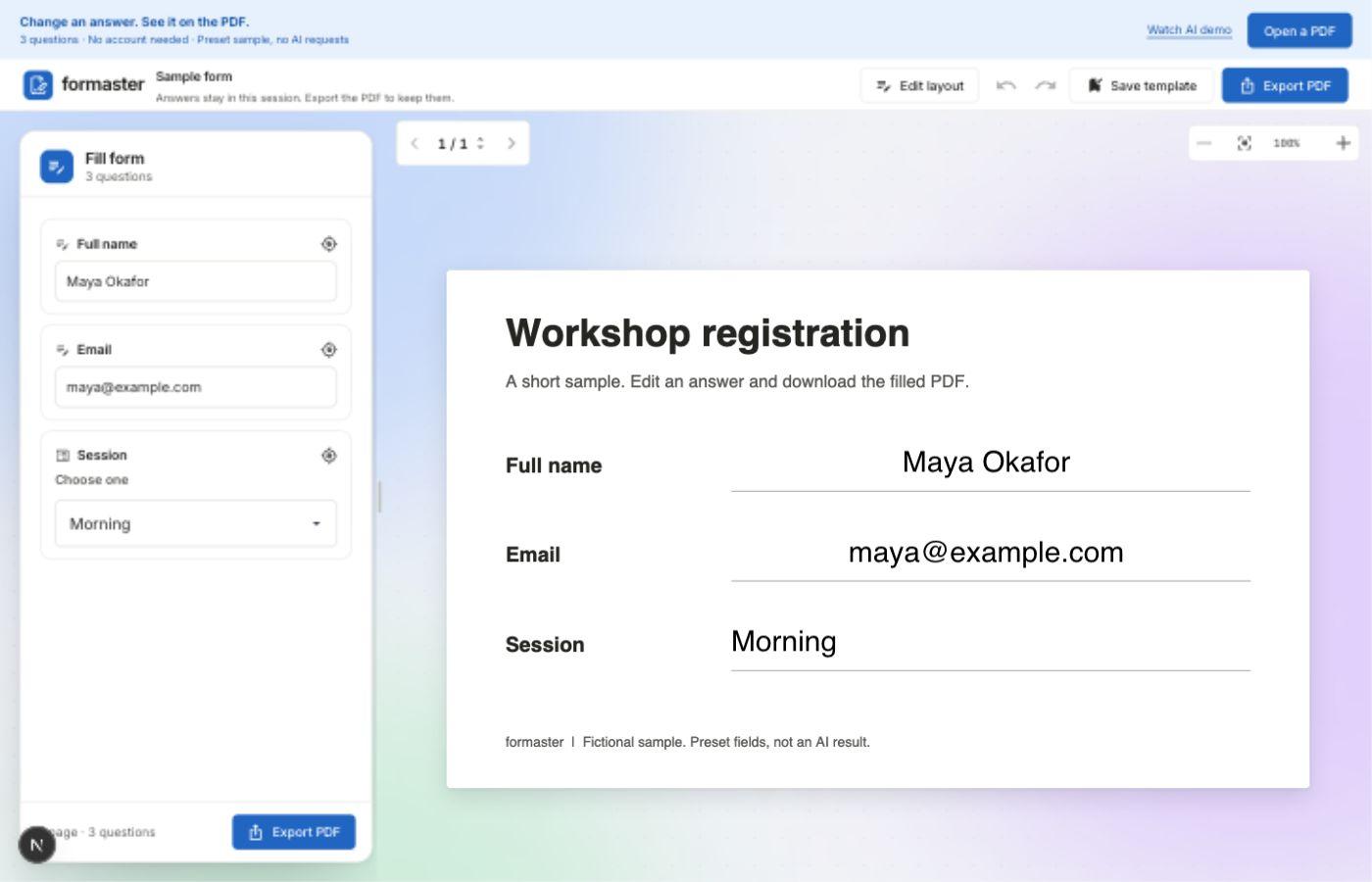
Try a form right here
Edit an answer. See it on the page. Download the sample PDF.
- Full name
- Maya Okafor
- maya@example.com
- Session
- Morning
Fictional sample · Preset fields · No AI requests
Start with a document, not a blank builder
Open the PDF you already use for applications, registrations, or business paperwork. Add the answer fields around its existing design and instructions.
Choose the right answer controls
Use a dropdown for a fixed set of answers, dates for calendar values, checkboxes for selections, and signature fields where a visual signature is appropriate. Review each field in the filling view.
Save an empty reusable layout
Templates retain the questions and positions without saving entered answers or signatures. Free accounts can keep 3 local templates; paid plans add unlimited cloud templates.
See the form and the PDF together
Switch between filling and layout editing. Check the page before you export.
Questions, answered
Can I collect submissions through a public form link?
This workflow is for filling PDFs and reusing layouts in Formaster. It is not a hosted survey or public submission-collection service.
Can I start with a ready-made template?
Yes. The public form library includes official source PDFs and Formaster-created templates with fields ready to fill, without an AI detection run.