A difficult PDF. A simple form.
Fill scanned and non-fillable PDF forms online. Let AI suggest fields, translate questions, add a signature, and download your completed original PDF.
Manual filling and downloads are free. Optional AI needs an account and credits.
Try a form right here
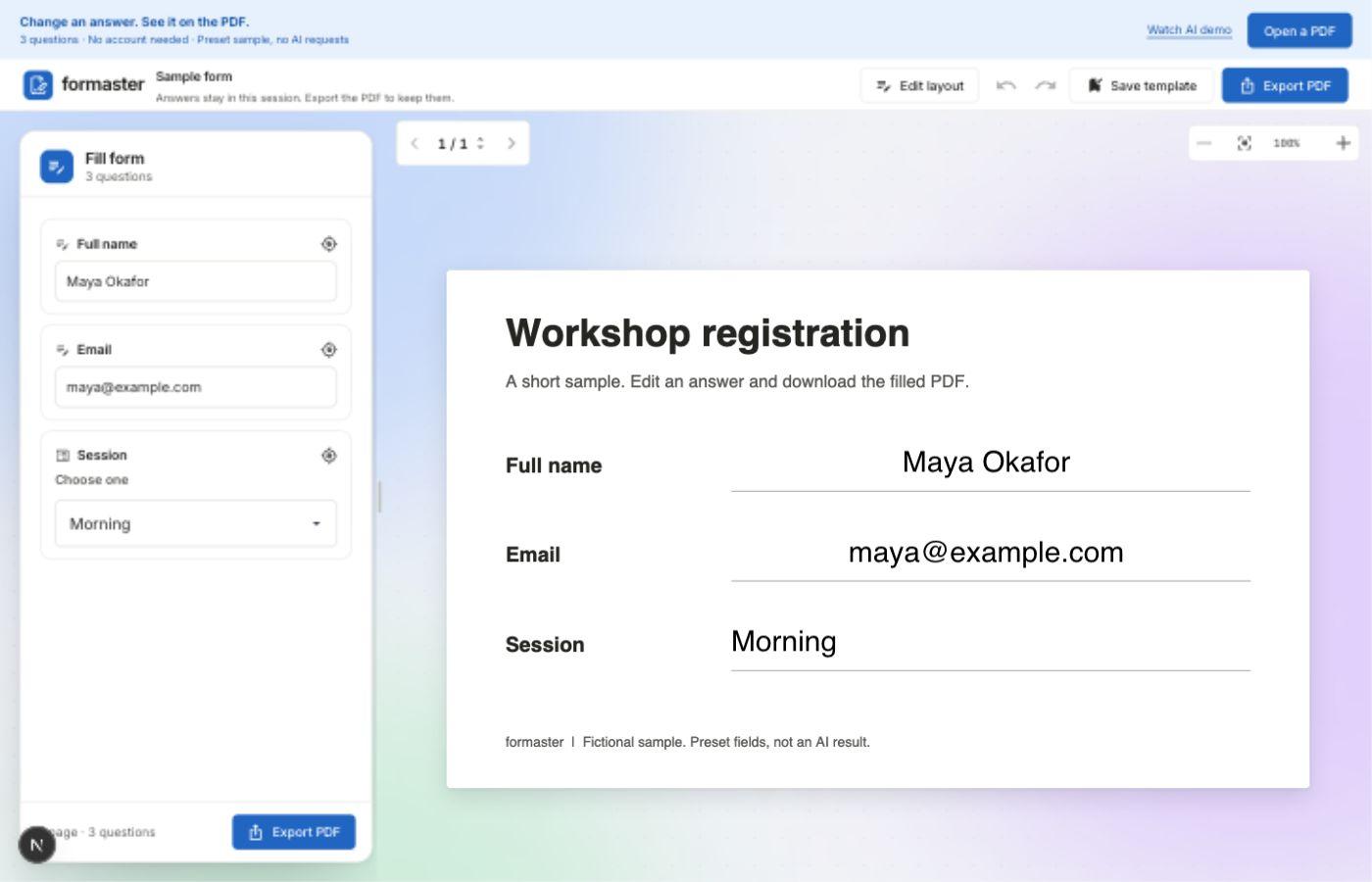
Edit an answer. See it on the page. Download the sample PDF.
- Full name
- Maya Okafor
- maya@example.com
- Session
- Morning
Fictional sample · Preset fields · No AI requests
Let AI find the questions
Open a PDF and choose AI fill in the layout editor. Formaster proposes text fields, checkboxes, dates, and other controls. Review the suggestions and correct their positions before filling the form.
Keep the document you started with
Answer the questions in a form card instead of placing each answer by hand. Your download uses the original PDF pages with your answers in the places you reviewed.
Start free, choose when to use AI
Manual filling and PDF downloads need no account. A free Google or verified email account includes 5 signup AI credits once. Normal detection uses 1 credit; Smart detection uses 2 and requires a paid plan.
See the form and the PDF together
Switch between filling and layout editing. Check the page before you export.
Questions, answered
Is the AI PDF filler free?
Manual filling is free without signup. New accounts receive 5 AI credits once, with no monthly refill. Paid plans and one-time credit packs are available for further AI use.
Can AI make mistakes?
Yes. Field labels, types, positions, and translations can be wrong. Review the layout and the exported PDF, especially numbers, checkboxes, and signatures.
Does my PDF go to an AI service?
Only when you choose an AI action. Detection sends page content you have not hidden. Label translation sends labels, not your entered answers. Manual filling works in your browser.